Certified Centurion · Implementation

Certified Centurion Implementation, then ninety days to make it work.
Your own AI, built, installed and running in your building — and then ninety days making sure your business actually uses it.
Centurion is a private AI platform that runs on hardware your company owns, on its own data, with a model choice that is not locked to one supplier. I designed and build it, and I run my own business on it.
As a certified Centurion implementation partner I do the physical and technical work end to end: I source the machine, build it, install Centurion on it, configure it around how your business actually works, and deliver it running to your office. You own the hardware, the data and the decisions. There is nothing to rent back from me afterwards.
Then comes the half that decides whether any of it was worth doing.
Why ninety days
An install is a weekend. The ninety days make it pay.
Most private AI ends up installed and unused. Not because the machine was wrong — because nobody's job was to make it part of the working week. The installation finishes. The usage does not begin by itself.
So the second half of this engagement is ninety days alongside you, working a programme that already exists rather than advice invented as we go. Without it you own an excellent machine, and a habit you never formed.
When this is the right answer
This is a sovereignty purchase, not a cost saving.
Worth saying before anything else: if your work can go to a cloud AI provider, a subscription will almost always cost you less than a machine and an installation. Buying your own is not the cheap route and I will not pretend otherwise.
It is the answer for the work that cannot legally or contractually leave the building — legal privilege, client confidentiality, patient and clinical records, deal material under NDA, anything caught by data residency or GDPR obligations. For that work the alternative is not a cheaper subscription; it is not doing the work with AI at all.
If that is not your situation, tell me and I will say so — a cloud subscription is the right recommendation and I would rather give you that answer than sell you a server you do not need.
How this starts
Start with the licence. It costs €50, and it takes five minutes.
The Centurion licence is not mine to sell you. You buy it directly from Centurion — €50 a month for the Brain — and that is where this engagement begins.
Two reasons. The software is yours at the price everybody pays, with nothing added for my introduction. And a licence is a small commitment, but a real one: it is the companies prepared to make it who go on to put Centurion on their network properly.
It is monthly, and you can stop it whenever you like. If this turns out not to be the right answer, you cancel and you are one month in — not committed to a machine, a build, or an installation.
Once the licence is in place, come back here and we will start on the machine.
Subscribe to Centurion Brain on 1human1ai.com — €50 a month, direct from Centurion. Then return here for the hardware and the installation.
Once you have your licence
We meet, I recommend a machine, and then it gets built.
When your Centurion licence is in place, we meet online — a short call about how you actually work, what you want it doing, and what has to stay inside the building. Nothing is specified before that conversation, because the right machine is a consequence of the answers rather than a default.
I then recommend a hardware setup sized to your workload and tell you what it will cost. You can buy it through me, or supply your own and I will work with what you have. Either is fine — the machine is yours, in your name, whichever route you take.
From there the seven steps below run in order, ending with a system your team is using rather than a box in the corner.
What the installation involves
Seven steps, from an empty desk to a system your team runs.
01
Source the right equipment
Centurion runs on two boxes, and they do different jobs. The Brain is a small, always-on computer that runs the agents and the daily work. The Core is a mini server with real storage that runs the language model itself. Most companies start with the Brain and add a Core when the data genuinely cannot leave the building. I match the specification to the workload rather than the brochure — and not more of it than you need. You buy it in your own name, so it lands on your asset register and under your own warranty. Buy it from me, or supply your own — either is fine.
02
Build the equipment
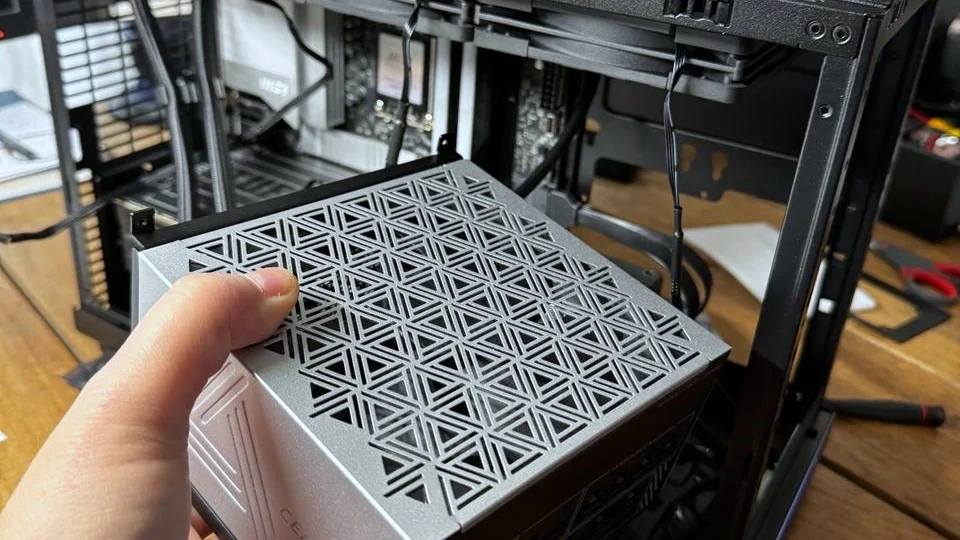
Linux, hardened to behave as an appliance rather than a workstation. Assembled and soaked on the bench, so a fault surfaces on my desk rather than in your office.
03
Install the software
Centurion, the model layer and the phone Remote, installed and configured rather than left on defaults. Where there is a decision to make — which model, how much context, what runs locally — I make it with you and write down why.
04
Commission the computers
Named and addressed on your network, sitting in your building, and yours from the first boot — there is no account of mine it depends on, and no dashboard of mine it reports back to.
05
Customise the setup
Your documents, your precedents and your way of working become what it answers from — this is the step that makes it yours rather than a generic assistant with your logo on it, and it is the one most often skipped. Then the boundaries: who can ask what, what it may read, what it keeps, and what it must never see. Governance is configuration here, not a policy document nobody opens.
06
Deliver it to your office
Installed on site and running, on hardware bought in your name, under your warranty, on your asset register.
07
Optional training
Your people are shown how to use it, and the runbook is written down, so the machine keeps working when I am not in the room. That is the point of the exercise.
The programme
Forty-five minutes a week, for the first three months.
The programme is called The Department of One — one lesson a week for twelve weeks, taught against your business rather than in the abstract. This is the part most installations never get, and the reason the engagement runs for three months rather than ending on delivery day.
- Month one — Setup
- Your Centurion is named, connected to your systems and your tools, and briefing you every morning. This is the month that decides whether the other two work.
- Month two — Build
- It builds the things that give you your time back: delegated workflows, a managed website, software that works, and an outreach engine.
- Month three — Operations
- The business starts running on systems and habits. You move from doing the work to reviewing it.
- The weekly loop
- Learn the concept, implement it in your business that same week, finish with something running that was not running on Monday, then distil the one-line version you would teach someone else.
At the end of the ninety days you have a business that runs on systems and habits rather than on you remembering things — and you can deliver the same three months to somebody else. That is the design, not a bonus.
€585 a month for three months — billed monthly, and you pay the first month to enrol. Twelve lessons, one a week, taught against your business.
Configured around you
“Standard installation” is not a phrase that applies here.
- The machine
- Specified to the workload — a small appliance for the daily work, a server with storage and a GPU when the model itself has to run on site.
- The model
- Chosen for the job and kept swappable, so your capability is not rented from one supplier under terms that can change without notice.
- Your data
- Your documents and precedents are what it answers from, on your premises.
- Your workflows
- The jobs it does are the jobs your people actually have, not a demo of what an AI could theoretically do.
- Access
- Who may use it, what they may reach, and what is logged. Configured per role.
- Where it lives
- On your network, at your address, on your power. Data residency stops being a risk you manage and becomes a property of the architecture.
Centurion
Nothing in this system reports back to me.
The machine is bought in your name and sits in your building. The data stays on it. The model choice stays yours. When the engagement ends, what you have is a working system your team operates — not a dependency on me. The Centurion licence is €50 a month, paid to Centurion rather than to me, and the hardware and this installation are bought and delivered separately. That separation is what keeps the two honest.
See CenturionHow an engagement is shaped
A defined deployment, or ongoing support across the estate.
Contract — a defined deployment
Scoped, specified, installed, documented and handed over. You finish the engagement owning a working system and the knowledge to run it.
Retainer — ongoing support and adoption
For companies spreading Centurion across departments: further deployments, model changes, new workflows, and someone accountable when something needs diagnosing.
The ninety days sit inside that. Either shape carries a standing weekly session for the first three months, because the installation is the part that can be quoted and the ninety days are the part that decides whether it was worth having.
The right starting point is usually a conversation rather than a quote. Tell me what the data is and who needs it, and I will tell you whether this is the right machine — or whether you should not buy one at all.
Start with the work that cannot leave the building.
Bring me the job you have been told an AI cannot touch because of where the data sits, and we can find out whether that is still true.
The implementation
Take the number now, or put it in writing first.
One price, the same for everybody. The machine is bought in your own name and itemised separately — you own it outright — and everything else is the single figure in the form below. Here is what that figure covers.
- A machine of its own
- A small, always-on Linux computer that sits separate from your desktops and your file server. It holds Centurion and your data, and nothing else. Specified to the work rather than to a brochure, and bought in your company's own name.
- Built and set up
- Assembled by hand, Linux installed and hardened so it behaves as an appliance rather than a workstation, then bench-tested and left running before it goes anywhere near your office.
- Centurion installed
- The platform, the model layer and the phone Remote, installed and configured rather than left on their defaults. Where there is a decision to make, I make it with you and write down why.
- Customised around your business
- Your documents, your precedents and your way of working become what it answers from — the step that makes it yours rather than a generic assistant, and the one most often skipped. Then the boundaries: who can ask what, what it may read, and what it must never see.
- Initial training
- Your people are shown how to use it, and the runbook is written down, so the machine keeps working when I am not in the room. That is the point of the exercise.
Then ninety days alongside you, making sure your team actually uses it.
Certified Centurion Implementation
€5,000 — the machine built, Centurion installed, and ninety days of adoption.